Choose between these USB-only microphones by headphone monitoring and the complete desk kit. The original MV6 provides direct voice monitoring; Wave Neo's headphone output plays computer audio. Neither has an XLR output.

Compare the documented differences below, then check the exact kit and the requirements for your own computer before buying.

QUICK ANSWER

Choose by the job and the complete setup

Choose between these USB-only microphones by headphone monitoring and the complete desk kit. The original MV6 provides direct voice monitoring; Wave Neo's headphone output plays computer audio. Neither has an XLR output.

How these options were chosen

Direct voice monitoring distinguishes these two USB kits; capsule type alone does not establish a better result in your room. This comparison uses manufacturer documentation, not a hands-on performance test. Current prices and availability are not verified.

Product documentation reviewed 2026-10-29. No price, stock or delivery check is performed when you open this page.

Compare the documented differences

These options fit different needs. No product is a universal winner, and the order is not a performance ranking.

PAID LINK DISCLOSURE

Amazon links are paid links; we may earn a commission at no additional cost to you. As an Amazon Associate I earn from qualifying purchases. They open Amazon US. Check local availability and delivery yourself.
Connections and complete-kit checks, reviewed October 29, 2026
Exact modelConnection and monitoringIncluded or still neededSkip when
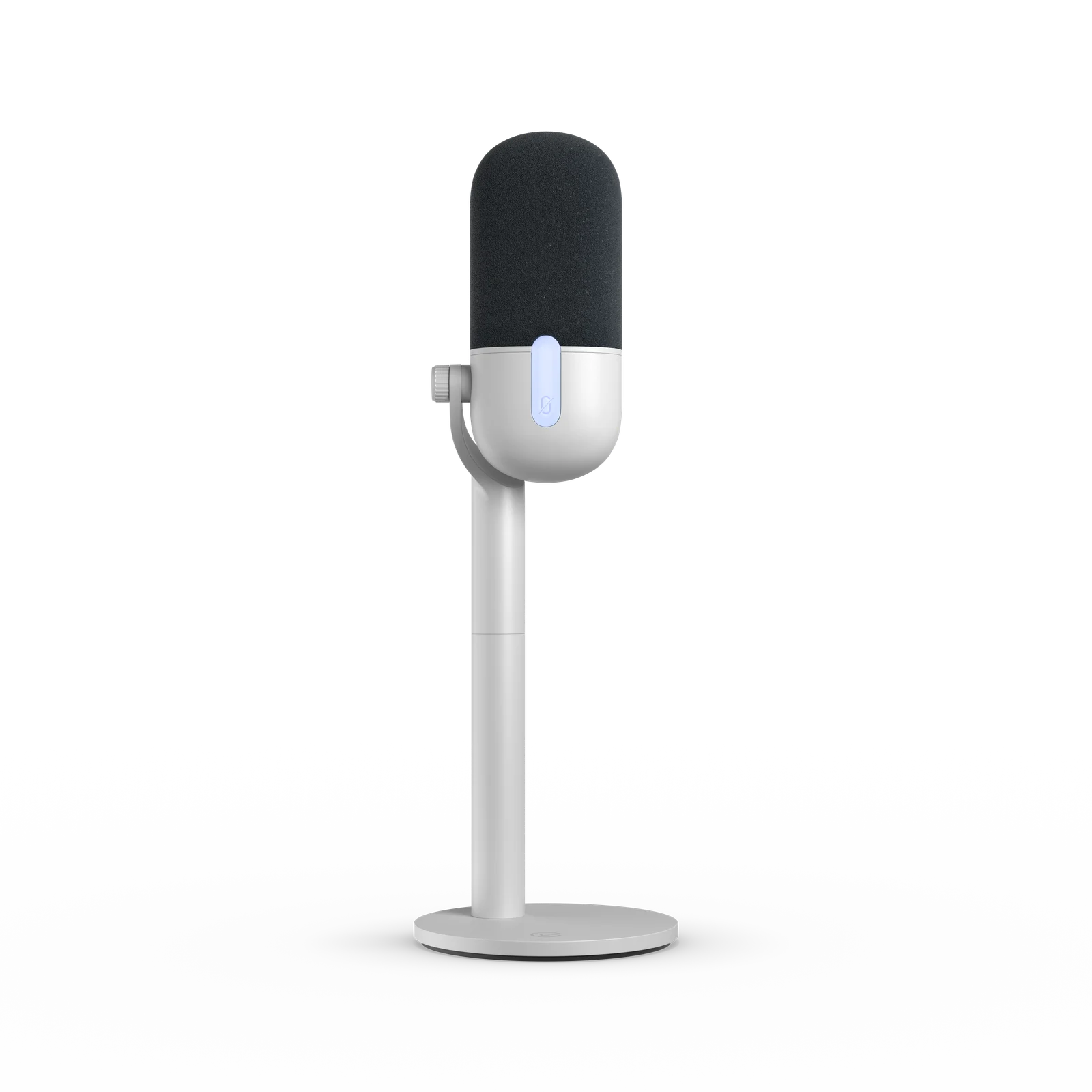
Elgato Wave NeoUSB-C microphone; supplied cable connects to USB-A

Headphone output plays computer audio; no direct voice monitoring

Desk stand, riser, foam filter and USB-C to USB-A cable in the documented kitYou need to hear your voice directly through the mic, or need an XLR output.
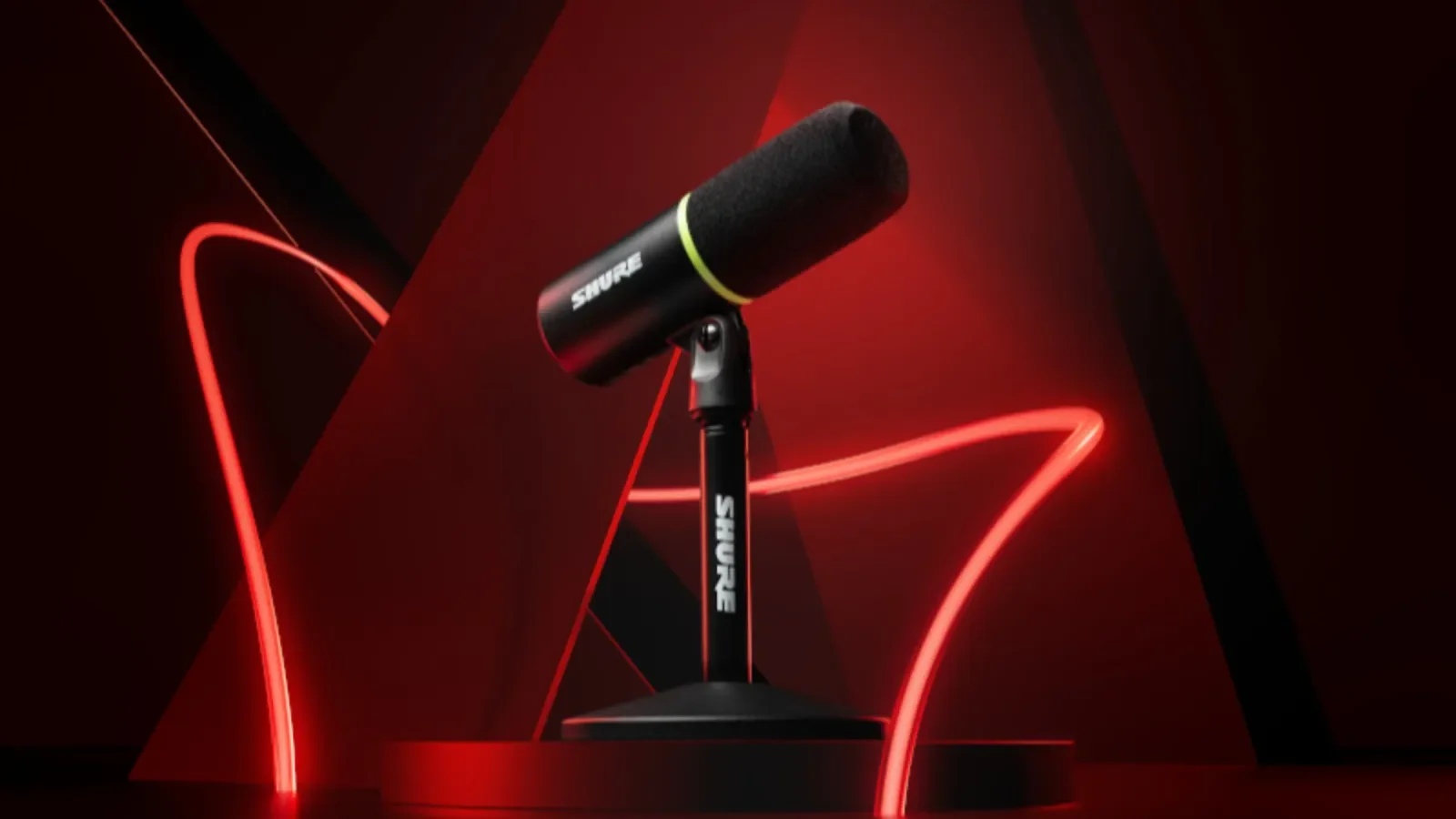
Shure MV6 (original)USB-C; no XLR output

Direct voice monitoring through its headphone output

Desktop stand and USB-C cable in the original model documentationYou need XLR or are shopping for MV6 Gen 2. These are different editions.
Elgato Wave Neo
Official Elgato product render. Source ↗
MICROPHONE

Elgato Wave Neo

Consider it when: A straightforward USB desk setup when direct monitoring is not required.

Before buying: Check OS/software requirements, your USB port and the exact bundle. Test the mic you own first.

Read the manufacturer details ↗

Watch Elgato's 15-second Wave Neo product demo ↗Opens the manufacturer's video on its host. This is a promotional demonstration, not our sound or performance test.

Compare the full microphone setup →Check the current Amazon US listing (paid link) ↗

Official manufacturer images illustrate the named product and shown edition. Match the retailer's selected color and bundle; an image does not establish included accessories. Manufacturer photos or demos are not our own performance tests.

What else does the setup need?

Follow the connection before choosing a bundle. These diagrams explain the setup; they are not performance tests.

USB microphone to OBS
  1. Microphone on a suitable stand or arm
  2. Compatible USB data cable and computer port
  3. Microphone selected as an audio source in OBS

Count the microphone, mounting, required cables or adapters, shipping and tax. Mark an accessory as included only after checking the exact listing.

Direct monitoring lets you hear your voice through the hardware. Wave Neo plays computer audio through its headphone output; it does not provide direct voice monitoring. The original MV6, AM8 and K688 offer direct voice monitoring in USB mode.

Enter prices and compare the complete microphone cost →
01

The headphone output is the important difference

If you want to hear your voice directly from the microphone while recording, the original MV6 provides that path. Wave Neo's jack plays computer audio instead. Listening through a software monitoring path is a different setup and may add delay.

Decide whether you need that feature before comparing appearance, software controls or the sale price. A headphone jack in a product photo does not prove direct monitoring.

02

Compare the mount and computer connection

Wave Neo documentation lists a stand, riser, foam filter and USB-C to USB-A cable. The original MV6 documentation lists a desktop stand and USB-C cable. Check which port or adapter your actual computer needs.

Work out whether the supplied stand can put the capsule where you need it. Add an arm or other required mounting to the full total rather than comparing microphone-only prices.

03

Keep the original MV6 separate from Gen 2

This comparison is for the original MV6 linked in our catalog. MV6 Gen 2 is a different edition. Check the model in the retailer title and selected variation rather than borrowing a feature or included accessory from the newer product.

We have not performed a controlled listening test between these microphones. Make a recording with the mic you own first, then compare the documented connection and complete cost of the candidate kits.

SOURCES

Where this comes from.

Platform limits, software and product details change. These are the pages this guide was checked against. Read the current version before you rely on a number.

Elgato Wave Neo — manufacturer documentation↗Shure MV6 (original) — manufacturer documentation↗
NEXT STEP

Enter the current item and accessory prices to compare two complete setups. Free.

Compare microphone setups →