USB connects a supported microphone directly to the computer. An XLR microphone normally connects through an audio interface or mixer before reaching the computer. The useful choice depends on what you need that whole chain to do.

Neither connector tells you how a microphone will sound in your room. Work out the placement, input count, headphone monitoring and full budget first.

QUICK ANSWER

Choose by the job and the complete setup

Choose USB for a direct computer connection with fewer separate parts. Choose XLR when a suitable interface, routing needs or future workflow justify it. XLR is a connection choice, not proof that a microphone will sound better.

How these options were chosen

Compare complete connections and required extras using the documented USB/XLR behavior of the listed microphones. Prices, interface performance and your room are not measured here.

Product documentation reviewed 2026-10-29. No price, stock or delivery check is performed when you open this page.

Compare the paths before choosing a product

Which option fits the job?
OptionUseful whenTradeoff to check
USB microphoneOne mic going directly to a supported computerDirect monitoring and software differ by model; check them individually
Official details ↗
XLR microphone plus interfaceYou need the interface's inputs, gain, outputs or routingAdd interface, cable and mounting; monitoring is handled by the chosen interface
Official details ↗
USB/XLR microphoneYou want USB now and an XLR option laterUSB controls, RGB and headphone monitoring may not work in XLR mode
Official details ↗

Compare the documented differences

These options fit different needs. No product is a universal winner, and the order is not a performance ranking.

PAID LINK DISCLOSURE

Amazon links are paid links; we may earn a commission at no additional cost to you. As an Amazon Associate I earn from qualifying purchases. They open Amazon US. Check local availability and delivery yourself.
Connections and complete-kit checks, reviewed October 29, 2026
Exact modelConnection and monitoringIncluded or still neededSkip when
Elgato Wave NeoUSB-C microphone; supplied cable connects to USB-A

Headphone output plays computer audio; no direct voice monitoring

Desk stand, riser, foam filter and USB-C to USB-A cable in the documented kitYou need to hear your voice directly through the mic, or need an XLR output.
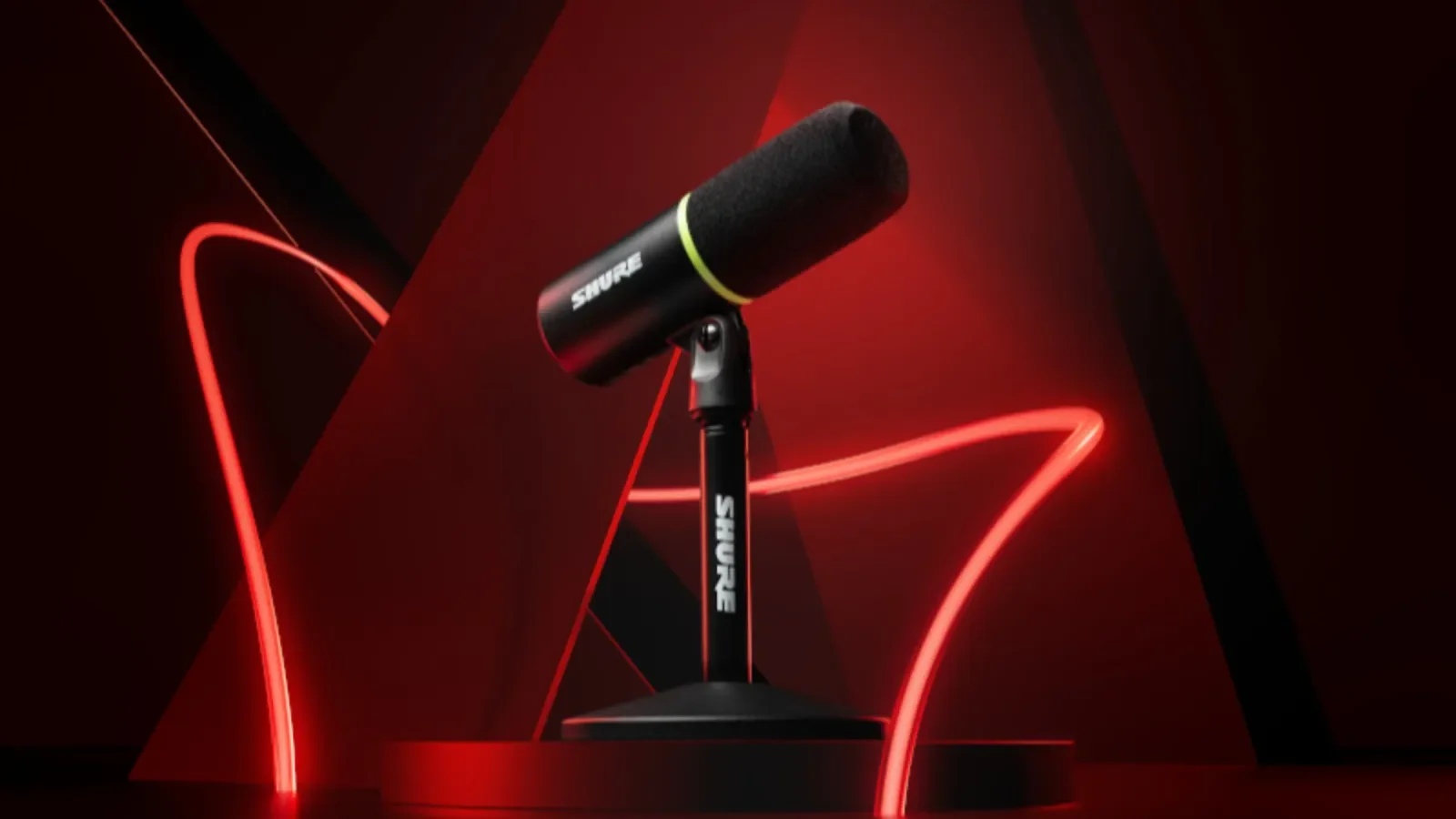
Shure MV6 (original)USB-C; no XLR output

Direct voice monitoring through its headphone output

Desktop stand and USB-C cable in the original model documentationYou need XLR or are shopping for MV6 Gen 2. These are different editions.
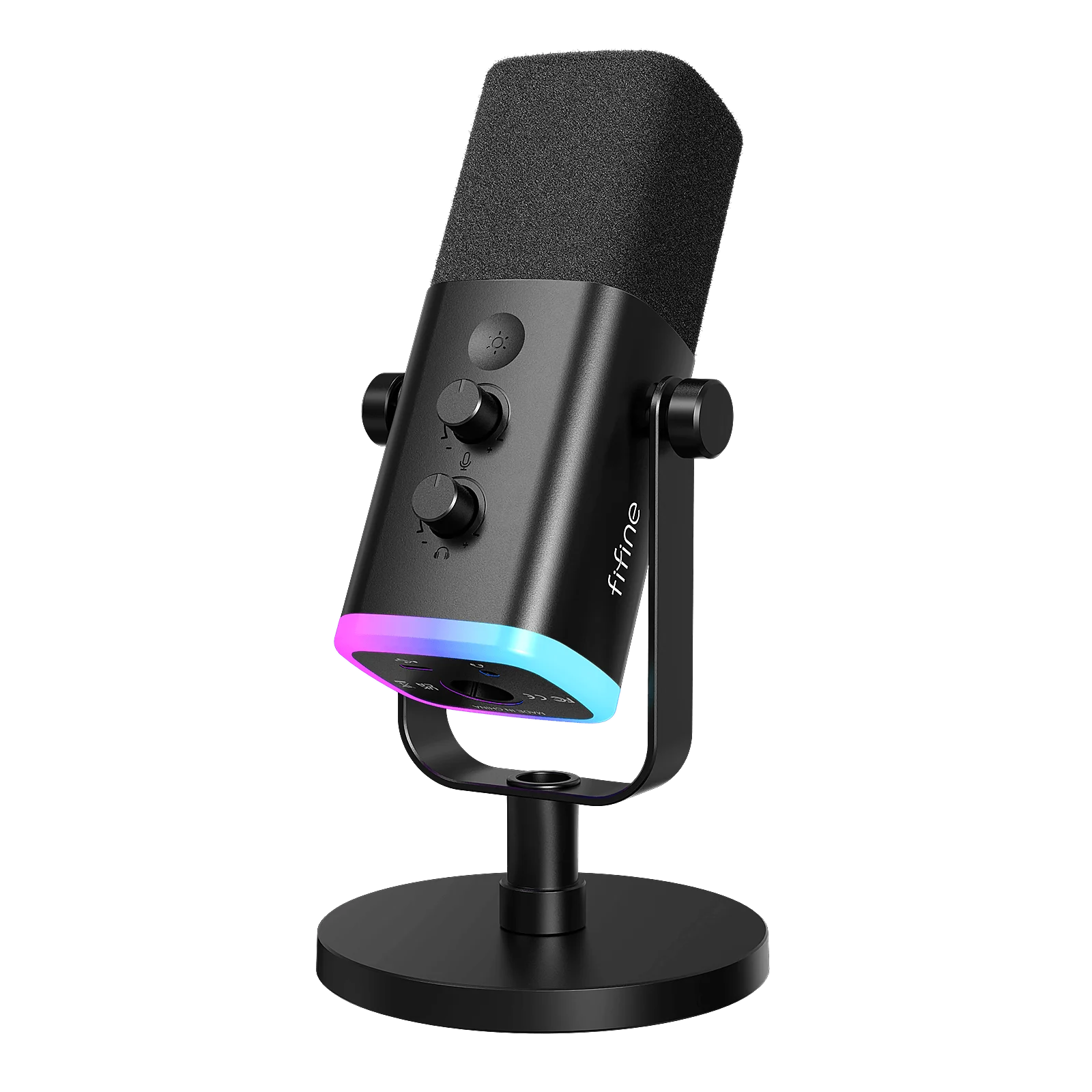
FIFINE AM8USB and XLR

Direct voice monitoring in USB mode; XLR monitoring depends on the interface

Base-stand and arm bundles differ; verify the selected kitYou expect the USB controls, RGB or headphone output to work through an XLR cable.
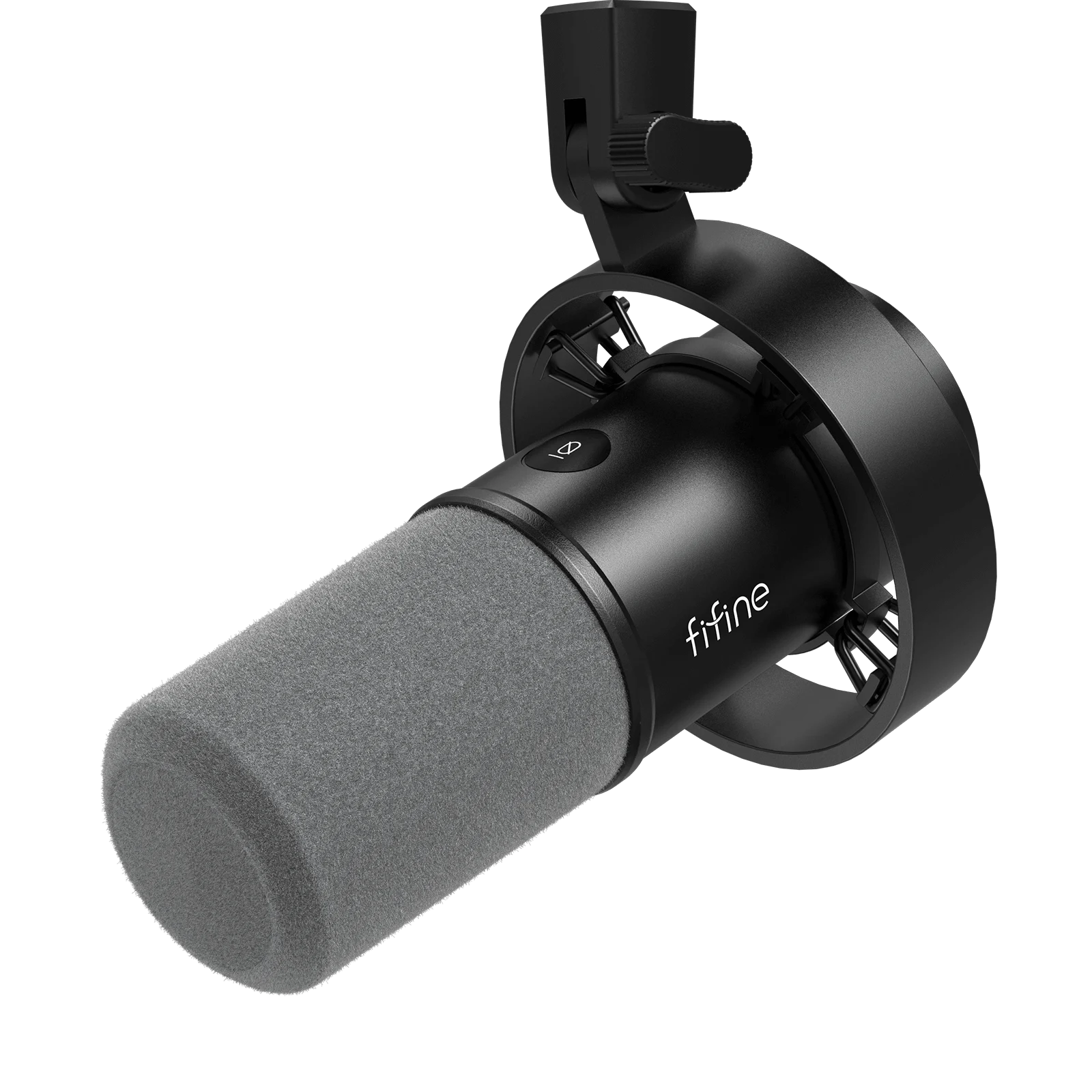
FIFINE K688USB and XLR

Direct voice monitoring in USB mode; XLR monitoring depends on the interface

Base K688 includes a shock mount, not a desktop stand; bundles differYou need a complete desk-ready kit but have not priced the mount, or assume USB controls work in XLR mode.
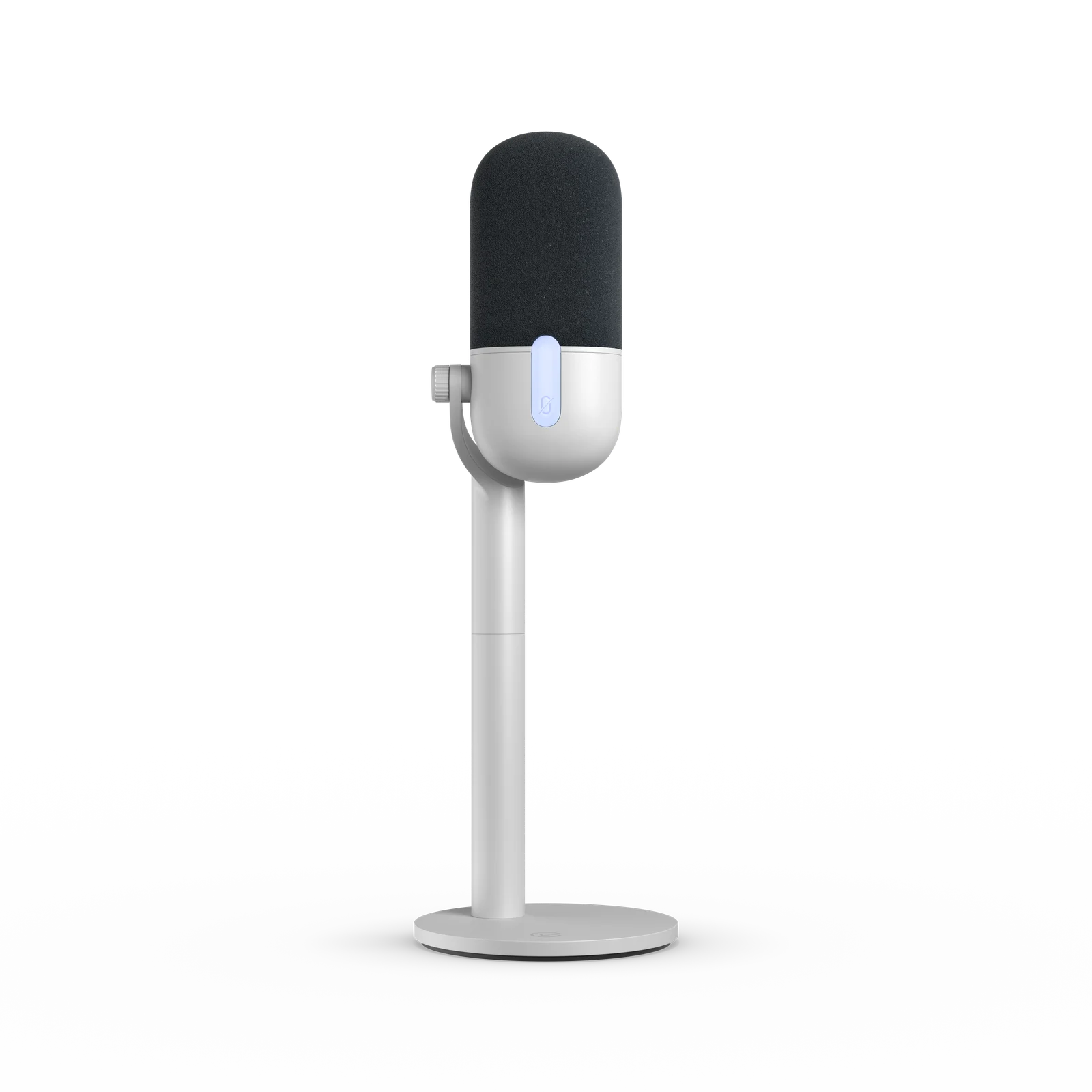
Elgato Wave Neo
Official Elgato product render. Source ↗
MICROPHONE

Elgato Wave Neo

Consider it when: A straightforward USB desk setup when direct monitoring is not required.

Before buying: Check OS/software requirements, your USB port and the exact bundle. Test the mic you own first.

Read the manufacturer details ↗

Watch Elgato's 15-second Wave Neo product demo ↗Opens the manufacturer's video on its host. This is a promotional demonstration, not our sound or performance test.

Compare the full microphone setup →Check the current Amazon US listing (paid link) ↗

Official manufacturer images illustrate the named product and shown edition. Match the retailer's selected color and bundle; an image does not establish included accessories. Manufacturer photos or demos are not our own performance tests.

What else does the setup need?

Follow the connection before choosing a bundle. These diagrams explain the setup; they are not performance tests.

USB microphone to OBS
  1. Microphone on a suitable stand or arm
  2. Compatible USB data cable and computer port
  3. Microphone selected as an audio source in OBS

Count the microphone, mounting, required cables or adapters, shipping and tax. Mark an accessory as included only after checking the exact listing.

Using AM8 or K688 through XLR?

  1. Microphone and XLR cable
  2. Compatible audio interface connected to the computer
  3. Interface selected as an audio source in OBS

Add the interface and its required connections to the total. Check monitoring on the interface; USB microphone controls do not carry over to XLR.

Direct monitoring lets you hear your voice through the hardware. Wave Neo plays computer audio through its headphone output; it does not provide direct voice monitoring. The original MV6, AM8 and K688 offer direct voice monitoring in USB mode.

Enter prices and compare the complete microphone cost →
01

When USB is the simpler choice

For one microphone into OBS on a computer, USB can keep the setup to fewer components. Check the actual port, operating-system support, cable, stand and headphone behavior of the chosen model.

Do not assume all USB headphone outputs provide direct voice monitoring. Wave Neo plays computer audio through its jack, while the original MV6 offers direct monitoring. That difference can matter in a live setup.

02

When XLR earns its extra parts

XLR can make sense when you need the inputs, physical controls, outputs or routing of a particular interface. Identify that requirement before deciding that an XLR chain is an upgrade.

Include the interface and XLR cable in your budget. Confirm the interface supports the microphone and the monitoring behavior you want. Our tool compares entered costs; it does not test interface gain, noise, drivers or routing.

03

What changes on a USB/XLR microphone?

AM8 and K688 can be used through either path, but the controls are not identical in both modes. Their USB headphone monitoring and digital controls do not become features of the XLR cable. Plan monitoring through the selected interface when using XLR.

This makes a dual-connection mic an option for a future change, not a reason to buy an interface immediately. Use the USB route first if it covers your current job.

04

Build two complete budgets

Compare the mic, stand or arm, required cables, any interface, delivery and tax in one currency. Count owned or included parts only after confirming that they fit. Do not compare a bare XLR microphone with a complete USB kit as if both were ready to use.

Use the tool below to enter those amounts. If a cost is unknown, the result stays incomplete. A lower entered total is a cost comparison, not a verdict on sound quality.

05

Before replacing your microphone

Make a private recording with the mic close enough for clear speech, suitable gain and the same background noise you normally have. Listen back before adding filters or buying another connection chain.

If voice is missing from a stream despite a moving OBS meter, check audio routing and output tracks. Changing from USB to XLR does not diagnose a track-assignment problem.

SOURCES

Where this comes from.

Platform limits, software and product details change. These are the pages this guide was checked against. Read the current version before you rely on a number.

Elgato Wave Neo — manufacturer documentation↗Shure MV6 (original) — manufacturer documentation↗FIFINE AM8 — manufacturer documentation↗FIFINE K688 — manufacturer documentation↗OBS — audio sources↗
NEXT STEP

Enter the current item and accessory prices to compare two complete setups. Free.

Compare microphone setups →