Buying for a 13-, 14-, 15-, 16- or 17-year-old gamer starts with the same practical question: what do they play on? A useful gift for a Windows PC can be incompatible with a Switch or console. Ask the teen for a wishlist and confirm the purchase with their parent or guardian.

The six paths below work for boys, girls and other teens according to their interests. Color and gender labels do not tell you which controller works, which game content suits the household or what they already own.

QUICK ANSWER

Choose by the job and the complete setup

For a teenage gamer, confirm the exact device with the teen and their parent or guardian before buying. A measured desk mat, a requested peripheral, an approved game or credit for the correct store can work. Check content ratings, account region and ongoing costs as well as the gift price.

How these options were chosen

These are six buying paths, including choices that earn us no commission. Hardware examples are selected by documented platform support, dimensions and included accessories. We have not tested their performance side by side. Current prices, stock and delivery are not verified.

Product documentation reviewed 2026-10-29. No price, stock or delivery check is performed when you open this page.

Compare the paths before choosing a product

Which option fits the job?
OptionUseful whenTradeoff to check
1. Approved game from their wishlistThe household agrees on the exact edition and contentCheck ratings, descriptors, device support and whether it is a full game or add-on
Official details ↗
2. A mat for a measured deskSee model and buying checks →They want a new cloth surface, without another connected deviceMM300 PRO Extended needs 930 × 300 mm of clear space
Official details ↗
3. A requested PC mouseSee model and buying checks →They use a PC and have chosen the G305 shapeA USB receiver and AA battery are required; a console setup needs separate checks
Official details ↗
4. A controller for a supported platformSee model and buying checks →Their Windows or Android game supports itUltimate 2C Wireless is not a universal console controller
Official details ↗
5. Parent-approved store creditThey want to choose within an agreed spending limitConfirm the platform, account country and what the credit can purchase
Official details ↗
6. A family or friends game sessionYou can plan around a game they already enjoyCheck age/content fit, player count and required accounts before inviting anyone
Official details ↗

Compare the documented differences

These options fit different needs. No product is a universal winner, and the order is not a performance ranking.

PAID LINK DISCLOSURE

Amazon links are paid links; we may earn a commission at no additional cost to you. As an Amazon Associate I earn from qualifying purchases. They open Amazon US. Check local availability and delivery yourself.

Connections and complete-kit checks, reviewed October 29, 2026
Exact modelPlatform, connection and fitIncluded or still neededSkip when
CORSAIR MM300 PRO ExtendedCloth desk surface; no power, USB or software

930 × 300 mm footprint; 3 mm thick

One Extended mouse pad; no keyboard or mouseThe desk is too small, they prefer another surface or a good mat already fills the space.
Logitech G305 LIGHTSPEEDLIGHTSPEED wireless through its USB receiver; not Bluetooth

Uses one AA battery; not a rechargeable USB mouse

Check the selected kit for its receiver and battery; it is not a USB charging kitThey need Bluetooth, USB charging, another shape or a different button layout.
8BitDo Ultimate 2C Wireless ControllerWindows 10+: USB or 2.4 GHz receiver; Android 9+: Bluetooth

No 3.5 mm headset jack; Xbox-style layout does not mean Xbox-console support

Standard kit lists one controller, USB-A 2.4G adapter and USB cable; rechargeable batteryThe gift is for Xbox, PlayStation or Switch, or requires a headset jack. This exact edition is documented for Windows and Android.
CORSAIR MM300 PRO Extended
Image © CORSAIR. MM300 PRO Extended, CH-9413641-WW. Source ↗
DESK

CORSAIR MM300 PRO Extended

Consider it when: They want this cloth surface and a measured 930 × 300 mm space is clear beneath the keyboard and mouse.

Before buying: Match Extended SKU CH-9413641-WW, not Medium. Measure around monitor feet and clamps. The spill-resistant coating does not protect nearby electronics from liquid.

Read the manufacturer details ↗

Measure the desk before choosing a mat →Search Amazon US for CORSAIR MM300 PRO Extended (paid link) ↗This opens a search, not a verified exact listing. Match the model, kit and seller.
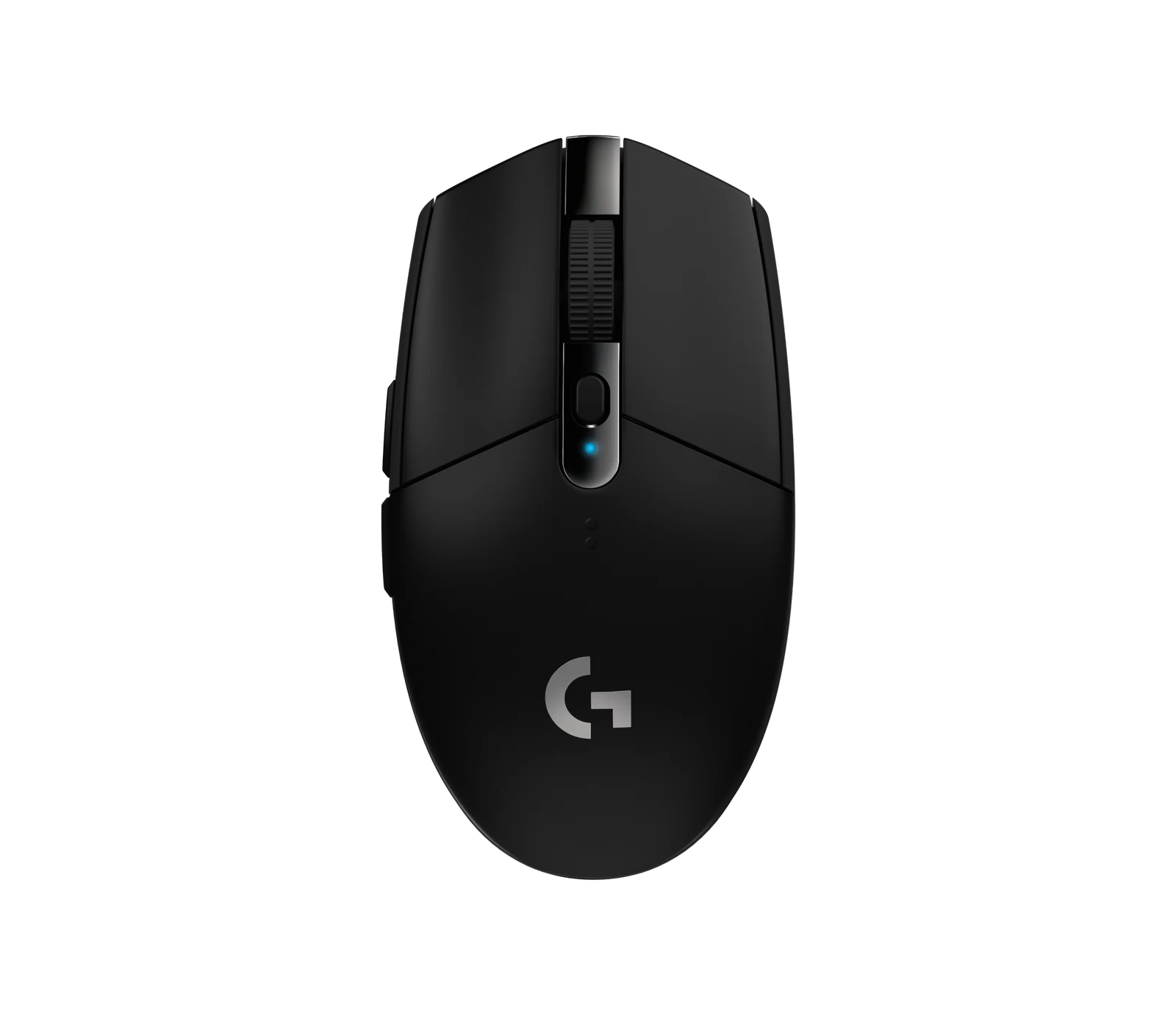
Logitech G305 LIGHTSPEED
Image © Logitech. G305 black edition shown. Source ↗
MOUSE

Logitech G305 LIGHTSPEED

Consider it when: They have asked for this mouse shape, have a suitable USB port and want a replaceable-battery wireless mouse.

Before buying: Ask about grip, size, handedness and the mouse they already like. Check OS support and the exact black edition; do not replace a favorite mouse just for a higher specification.

Read the manufacturer details ↗

Check the mouse choice before buying →Search Amazon US for Logitech G305 LIGHTSPEED (paid link) ↗This opens a search, not a verified exact listing. Match the model, kit and seller.
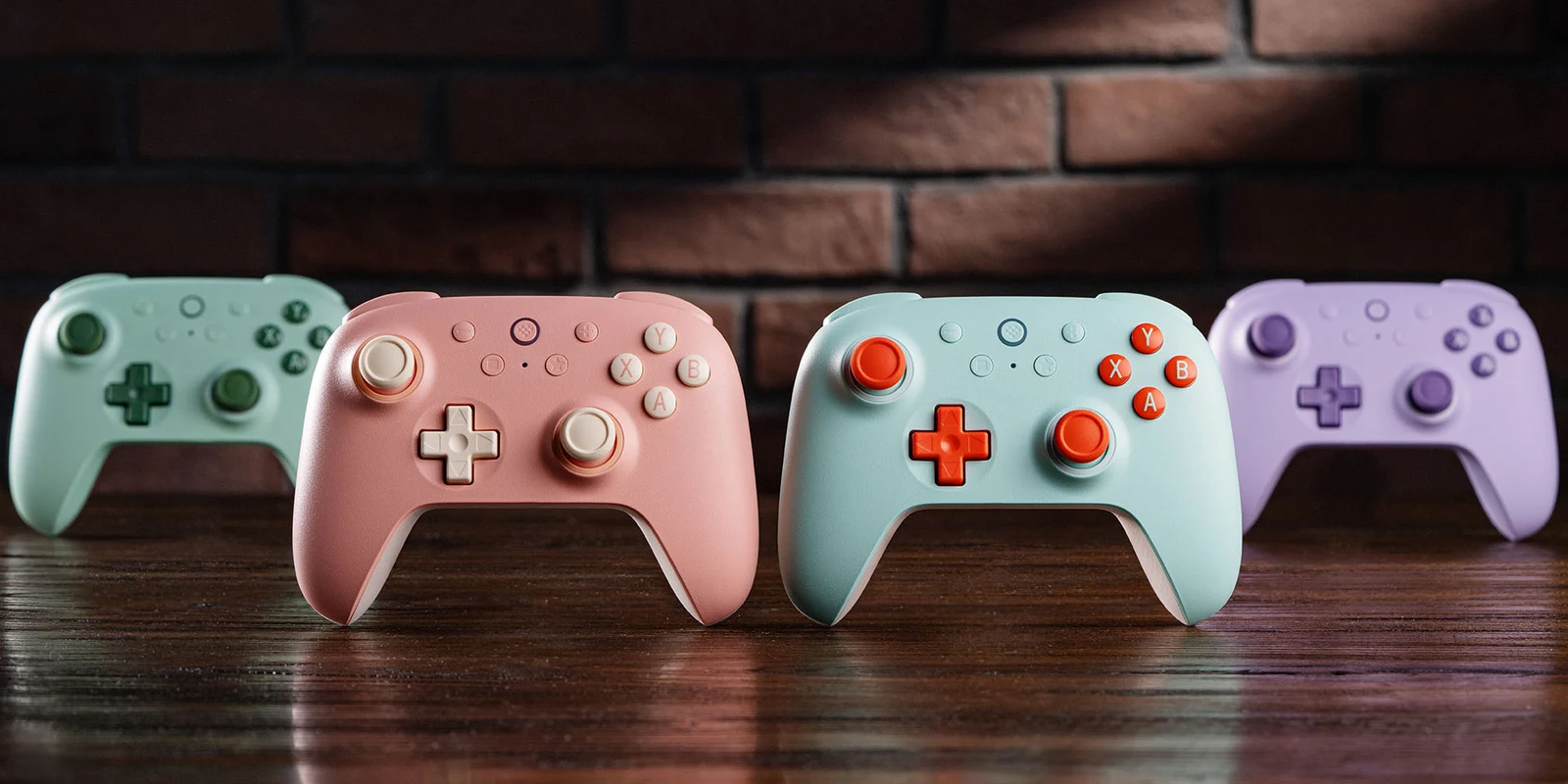
8BitDo Ultimate 2C Wireless Controllers in four colors
Image © 8BitDo. Multiple color editions shown; one controller per standard kit. Source ↗
CONTROLLER

8BitDo Ultimate 2C Wireless Controller

Consider it when: They want a controller for supported Windows or Android games and have checked the connection and game support.

Before buying: Match Ultimate 2C Wireless, not Ultimate 2, 2C Wired or Ultimate 2.4G. Choose the requested color and confirm the game accepts a controller.

Read the manufacturer details ↗

Check the platform and controller path →Search Amazon US for 8BitDo Ultimate 2C Wireless Controller (paid link) ↗This opens a search, not a verified exact listing. Match the model, kit and seller.

Official manufacturer images illustrate the named product and shown edition. Match the retailer's selected color and bundle; an image does not establish included accessories. Manufacturer photos or demos are not our own performance tests.

01

1. Choose an approved game, not an age label alone

Check the exact game's rating and content descriptors with the adult responsible for the account. ESRB and PEGI describe content; neither replaces the household's decision. A game with a Teen rating is not automatically the right choice for every teenager.

Also check online interaction, in-game purchases and any subscription needed for the intended mode. Confirm whether the gift is the full game, downloadable content that requires the base game, or in-game currency. Keep the title and edition on the wishlist rather than buying a similarly named expansion.

02

2. A desk mat avoids account setup, but still needs measuring

A mat can be a practical birthday or Christmas gift when the teen likes the surface and design. Measure the usable desk space together. The MM300 PRO Extended example needs a 930 × 300 mm footprint; monitor feet and a homework area can make a smaller mat more useful.

It needs no software or new online account. That does not make it a necessary upgrade: skip it if their current mat is in good condition or they prefer a different texture. Check the exact size in the retailer listing.

03

3. Replace a mouse only when they want that model

For a PC user who has asked for the G305, check the USB receiver connection, AA battery and supported operating system. Ask what they like about their current mouse before choosing a different shape or button layout.

A teen who mainly plays on a console may have no use for a PC mouse. Some games and devices have separate peripheral restrictions, so do not use a generic gaming label as a compatibility check. Keep packaging and the gift receipt until they have tried the fit.

04

4. Check the exact controller edition with the device owner

Write down the device model, operating system and game. The Ultimate 2C Wireless example supports documented Windows and Android connections. It is not the right gift for a Switch, PlayStation or Xbox console, even though its layout may look familiar.

Ask whether a second controller is useful for a particular local multiplayer game. Check the game's player count and controller support first. If a headset must plug into the controller, this example is unsuitable because it has no 3.5 mm headset jack.

05

5. Give credit for the correct store, with an agreed limit

Ask the parent or guardian which account and storefront the teen uses. Steam, PlayStation, Xbox and Nintendo credit are different products. Match the account country and read the official redemption rules; a physical card bought in one country is not a universal digital gift.

Agree on what the credit may buy. A one-time gift should not unexpectedly start a recurring membership. Keep the receipt, never ask for the teen's password, and let the account holder redeem the gift through the official service.

06

6. Plan a session with family or existing friends

Ask what game they would enjoy sharing and whether they want you to join in. Arrange a time, check the content together and use the devices they already own. A cooperative evening or a small birthday tournament can be useful without buying equipment.

For online play, agree on the existing friend group and privacy settings with the household. Do not set up a new account, public stream or open invitation as a surprise. If the teen wants to learn streaming, start with a private recording and the adult's agreed privacy boundaries.

07

Before wrapping: the five checks for relatives

Send the parent or guardian the exact link before ordering, especially if you do not live in the same household. An aunt, uncle or grandparent does not need to learn every gaming specification; a confirmed model and store prevent most mistakes.

  • The right device and exact edition
  • Approved content and online features
  • Correct account country and redemption method
  • Complete cost and any recurring charge
  • Delivery date, gift receipt and return window
NOTE

For a small budget, agree on a contribution or shared activity. Do not substitute a random accessory to make the parcel look bigger.

SOURCES

Where this comes from.

Platform limits, software and product details change. These are the pages this guide was checked against. Read the current version before you rely on a number.

ESRB — ratings, content descriptors and interactive elements↗PEGI — what the labels mean↗Steam — official gift card information↗CORSAIR MM300 PRO Extended — official specifications↗Logitech G305 LIGHTSPEED — official specifications↗8BitDo Ultimate 2C Wireless Controller — official specifications↗
NEXT STEP

If the agreed gift is for streaming, check the full microphone, light or capture setup before buying.

Check the streamer gift shortlist →